How to Convert Garment Measurements to Body Measurements Using ChatGPT
Your size chart is probably confusing your customers
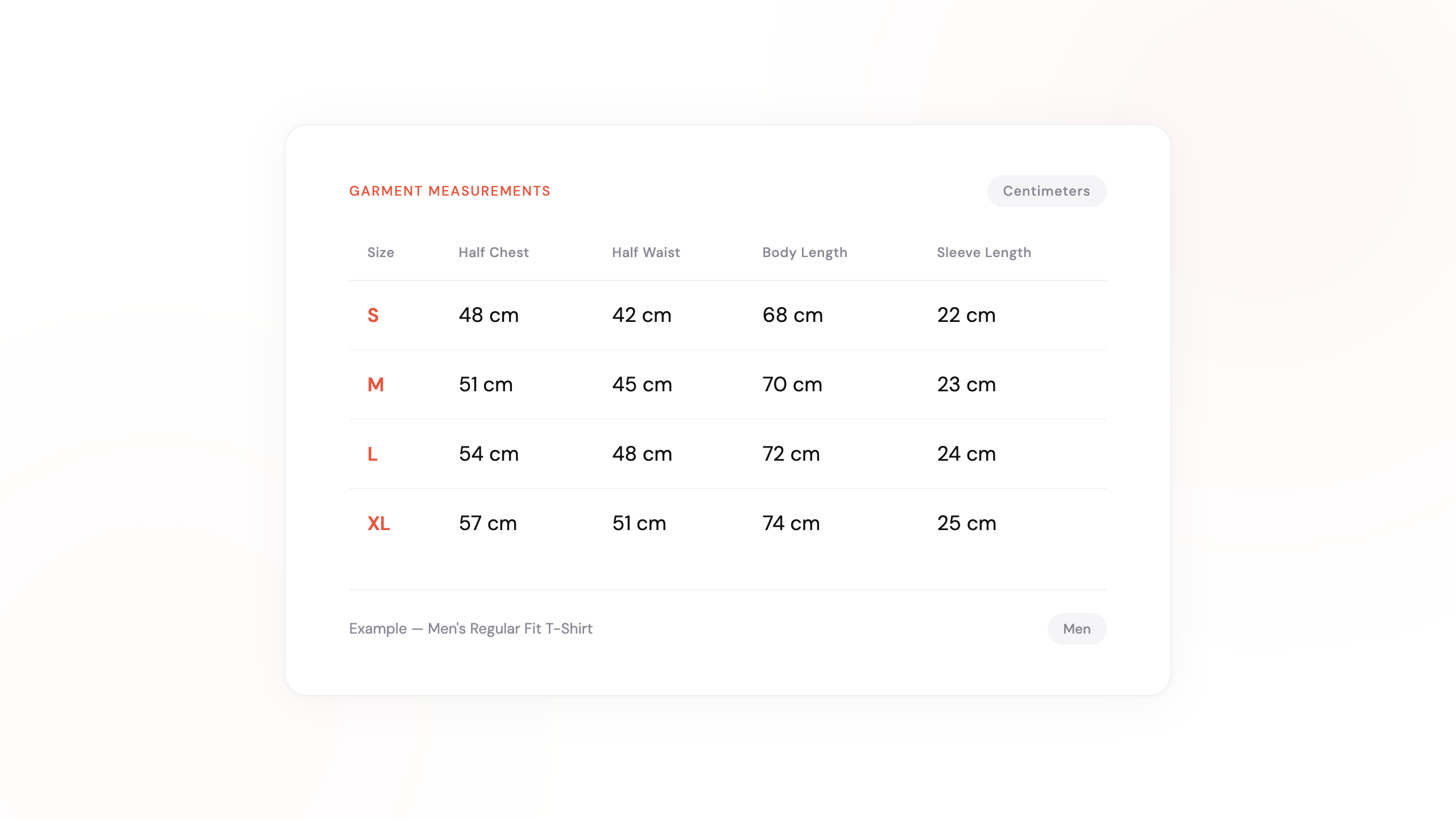
Most Shopify apparel stores have a size chart. Most of those charts show garment measurements — the actual dimensions of the fabric laid flat. Chest: 52 cm. Waist: 44 cm. Length: 72 cm.
The problem? Shoppers don’t think in garment measurements. They think in body measurements — their chest, their waist, their hips. When a shopper sees “Chest: 52 cm” on your size chart, they have no idea if that means the shirt fits a 96 cm chest or a 104 cm chest.
That gap — between what your chart shows and what your customer needs — is one of the biggest reasons shoppers pick the wrong size, or don’t pick at all.
Garment vs. body measurements: a quick primer
Garment measurements are the physical dimensions of the product itself. Your manufacturer provides these. They measure the actual fabric: half-chest width, sleeve length seam-to-seam, waist width laid flat.
Body measurements are the dimensions of the person wearing it. A shopper wraps a tape measure around their chest and gets 98 cm — that’s a body measurement.
The relationship between them depends on the garment’s ease — the extra room built into the design for comfort and fit. A relaxed-fit t-shirt might add 10-15 cm of ease to the chest. A slim-fit dress shirt might add only 4-6 cm.
Converting from one to the other requires knowing the ease values, doubling half-measurements, and adjusting for the garment type. It’s not hard math, but it’s tedious — and most merchants never do it.
The result: shoppers see numbers they can’t use, feel uncertain, and either leave or guess wrong.
The fix: let ChatGPT do the conversion
You can convert your entire size chart from garment to body measurements in about 2 minutes using ChatGPT (the free version works fine). No spreadsheet formulas. No manual math.
Here’s how.
Step 1: Grab your size chart
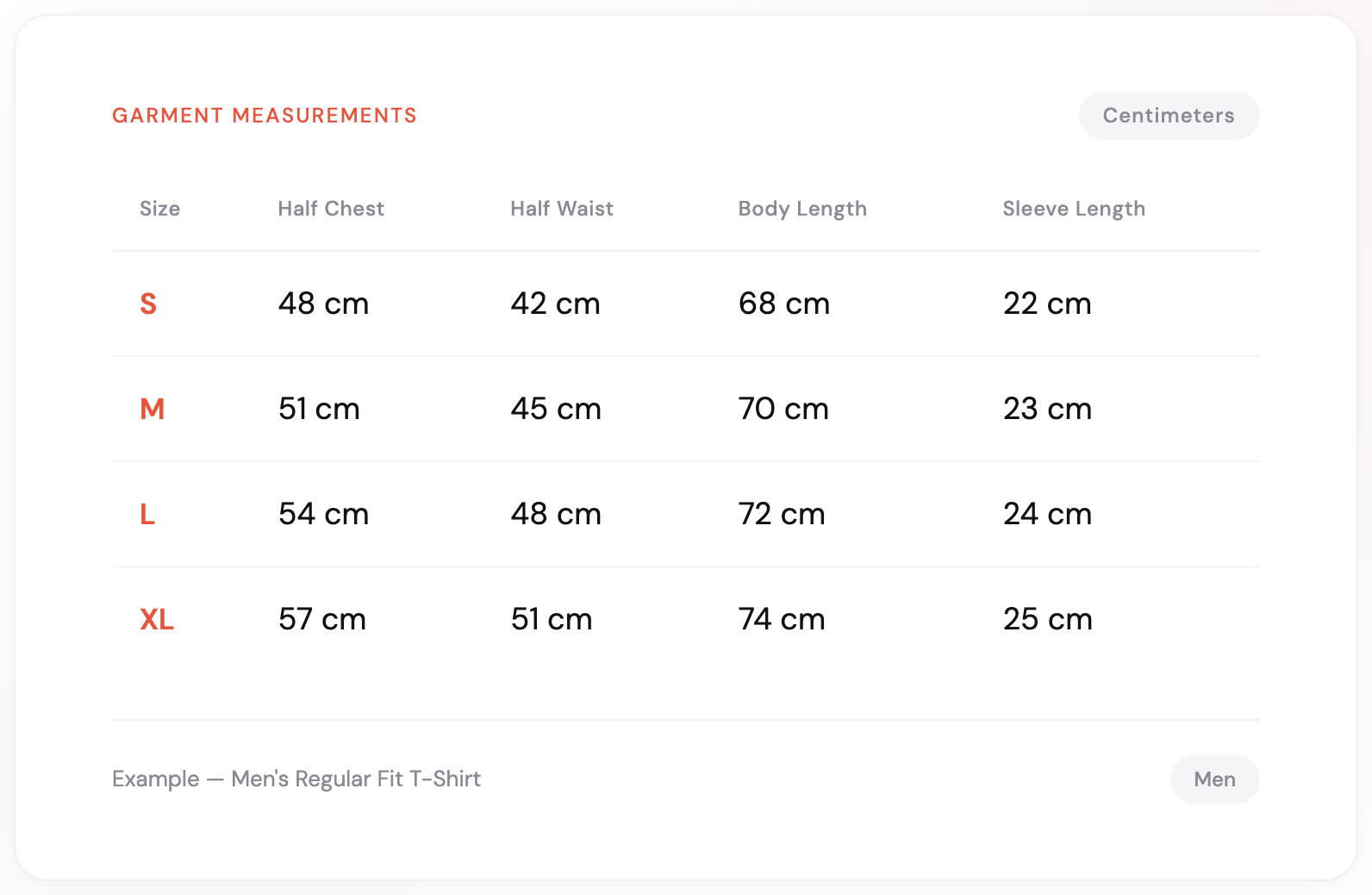
You probably already have garment measurements from your manufacturer or supplier — in a PDF spec sheet, an Excel file, or even a photo of a physical chart. Take a screenshot or photo of it. That’s all you need.
Here’s an example of a typical garment measurement table from a manufacturer:
Step 2: Use this ChatGPT prompt
Open ChatGPT (the free version works), attach your size chart image, and paste this prompt:
Analyze the attached size chart image. This chart contains GARMENT
measurements (the physical dimensions of the product).

Convert it into a BODY measurement chart — the measurements a
shopper would take on themselves with a tape measure.

To do this:
1. Detect whether the values are half measurements (laid flat) or
   full circumference. If half, double them first.
2. Subtract the appropriate ease allowance for this type of garment
   and fit style to get the body measurements.
3. Keep length measurements (body length, sleeve length, inseam)
   unchanged — they don't need ease adjustment.
4. Output a clean, formatted body measurement table.
5. Below the table, list:
   - The measurement unit you detected (cm or inches)
   - The gender you assumed
   - The garment type and fit style you assumed
   - The ease values you used for each measurement
6. If anything is ambiguous or looks unusual, flag it so I can
   correct it.
ChatGPT reads the image, detects the garment type, and returns a body measurement table — usually in under 30 seconds.
Tip: If the result doesn’t match your garment’s fit, just tell ChatGPT: “This is actually a slim-fit dress shirt — adjust the ease.” It recalculates instantly.
Step 3: Review and adjust
ChatGPT will output a body measurement table with the ease values it assumed. Review them. If your garment has an unusually loose or tight fit, tell ChatGPT to adjust:
“This is a slim-fit dress shirt. Reduce the ease by 3 cm on chest and waist.”
It recalculates instantly. Iterate until the numbers match how your garment actually fits.
Step 4: Update your size chart
Take the body measurement table and update your Shopify product page. Whether you use a size chart app, a custom page, or HTML in your product description — your shoppers now see numbers they can actually use.
Label clearly: add “Body Measurements” as the table header so shoppers know these are the dimensions they should measure on themselves.
Watch it in action
A quick walkthrough showing the full process — from garment measurements to a finished body measurement chart in under 2 minutes.
Why this matters for your store
This isn’t just a formatting exercise. The difference between garment and body measurements directly impacts your business:
- Fewer wrong-size orders. When shoppers see measurements they understand, they pick the right size more often.
- Lower return rates. Size-related returns are the #1 reason apparel gets sent back. A clear size chart is your first line of defense.
- Less support volume. “What size should I get?” is the most common pre-purchase question. A body measurement chart answers it before they ask.
- Higher conversion. Shoppers who feel confident about sizing are more likely to buy — and less likely to abandon the product page.
The bigger picture
Converting garment to body measurements is one of those tasks that’s simple in concept but annoying in practice. Most merchants know they should do it. Most never get around to it. This prompt removes the friction.
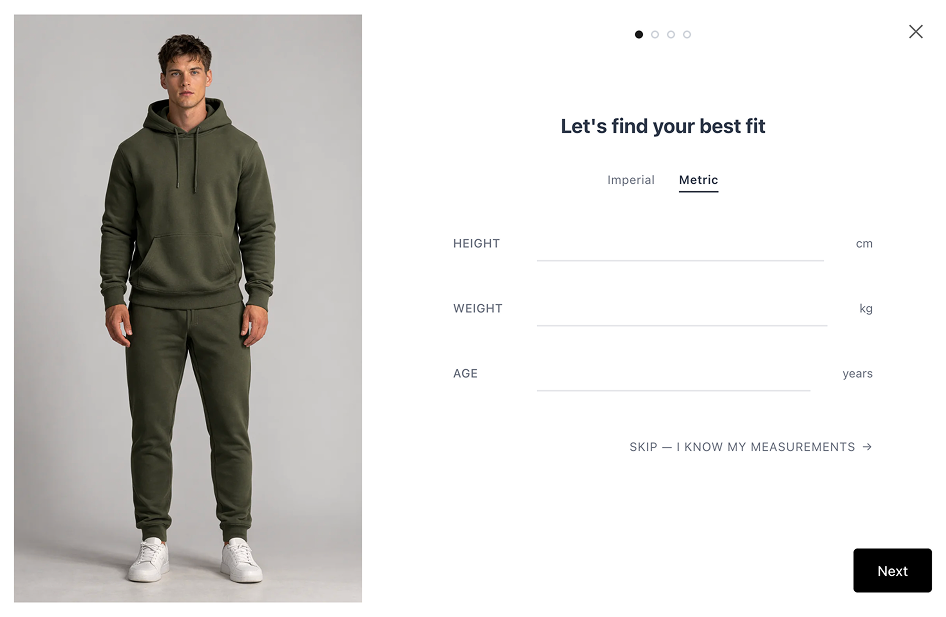
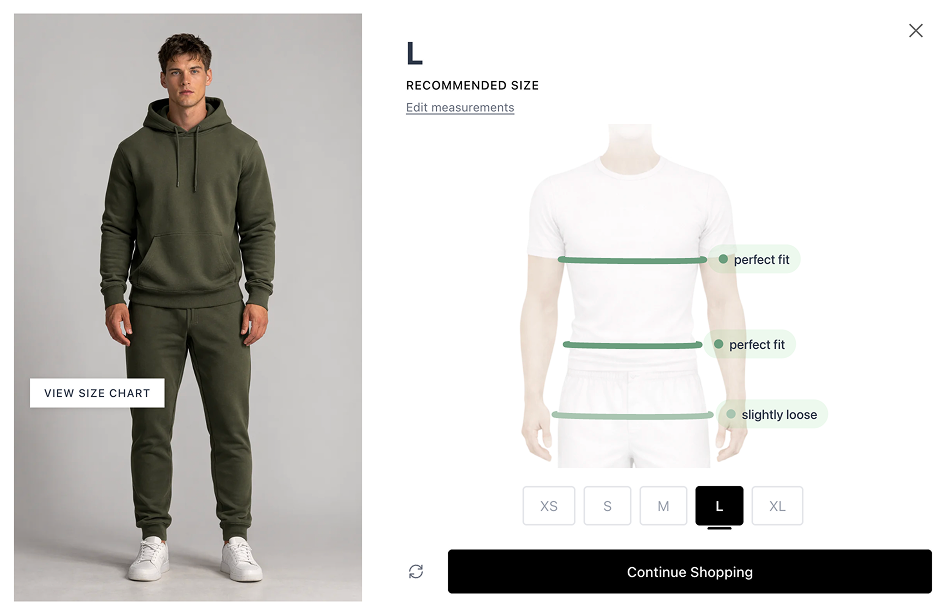
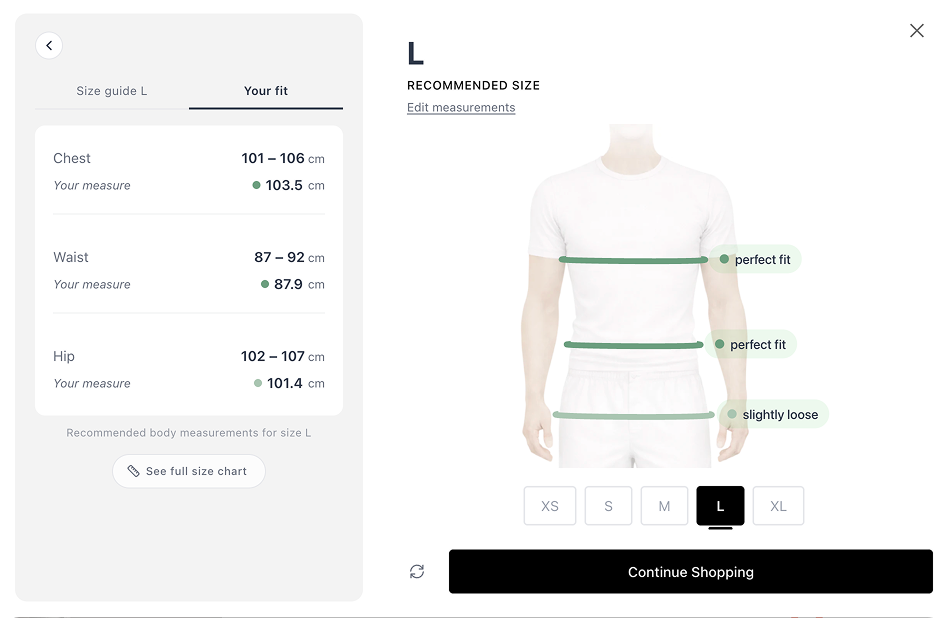
That said — a static size chart, even a good one, still requires shoppers to measure themselves and interpret the numbers. That’s where tools like SmartSize go further: instead of asking shoppers to compare their body to a table, a fit quiz gives them a personalized recommendation in seconds. No tape measure needed.
But that’s a separate conversation. For today, this prompt gets your size chart from confusing to useful in 2 minutes. Your shoppers — and your return rate — will notice the difference.
Quick recap
- Get your garment measurements from your manufacturer
- Paste them into ChatGPT with the prompt above
- Review the ease values and adjust for your garment’s fit
- Update your size chart with body measurements and label it clearly
That’s it. Two minutes, and your size chart actually helps your customers.
Want to take it further? SmartSize AI Fit Recommender gives each shopper a personalized size recommendation — no tape measure needed.
Try SmartSize AI Fit Recommender — free on the Shopify App Store →
Questions? Reach out at [email protected].
— Philip, co-founder of SmartSize